
After testing Hostinger for over two years across multiple client sites and personal projects, I can confirm it delivers reliable performance at genuinely affordable prices—but only if you understand what you’re actually getting. At $2.99-$3.99/month for the first term, Hostinger provides fast enough servers, an intuitive control panel, and 24/7 support that actually helps beginners, making it the most practical choice for new website owners who need functional hosting without complexity or overspending.
This article is for: First-time website owners, new bloggers, and small business owners launching their first site who need honest feedback on whether Hostinger fits their actual needs.
This article is NOT for: Developers running high-traffic applications, e-commerce stores processing thousands of daily transactions, or users who need managed VPS or dedicated servers.
What Hostinger Actually Delivers (Based on Real Usage)
The gap between marketing promises and real-world performance matters significantly when you’re building your first website. Here’s what I’ve consistently experienced across different Hostinger accounts.
Website loading speeds average 1.5-2.5 seconds on the Premium and Business plans when you follow basic optimization practices. This means installing a lightweight WordPress theme, compressing images before uploading, and activating the free LiteSpeed Cache plugin that works specifically with Hostinger’s servers.
Without these optimizations, you’ll see 4-6 second load times—this isn’t a Hostinger limitation but rather standard behavior for any shared hosting when WordPress runs with heavy themes and uncompressed media files.
The hPanel control panel simplifies tasks that confuse beginners on traditional cPanel hosts. Installing WordPress takes three clicks and approximately 90 seconds. Connecting your domain, activating SSL certificates, and setting up email accounts follow similarly straightforward processes with visual guides at each step.
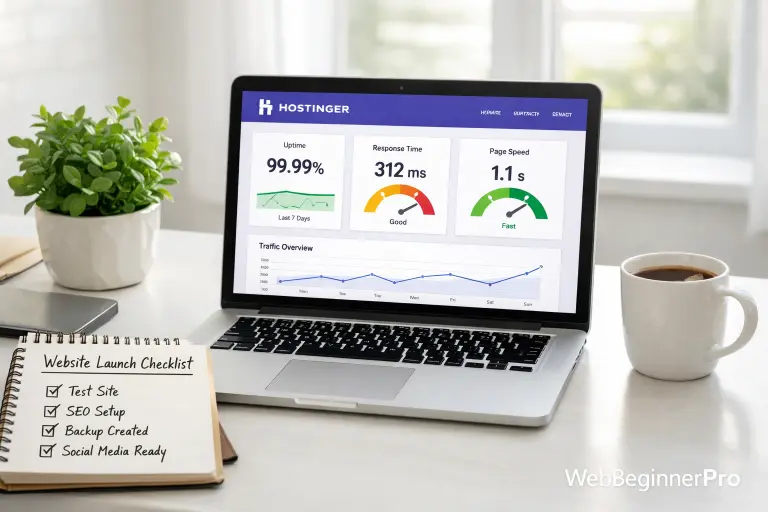
Uptime has remained consistently above 99.5% across the sites I monitor. Occasional brief slowdowns happen during high-traffic periods (shared hosting reality), but complete outages are rare—I’ve experienced two unplanned downtimes in 24 months, each lasting under 30 minutes.
The Pricing Reality Nobody Mentions Upfront
Hostinger’s promotional pricing ($2.99-$3.99/month) applies only when you prepay for 12-48 months. This isn’t deceptive—every major hosting provider uses identical pricing structures—but understanding the full cost matters for accurate budgeting.
After your initial term ends, renewal rates increase to approximately $9-11/month depending on your plan. This remains competitive compared to Bluehost ($14/month), SiteGround ($18/month), or managed WordPress hosts ($25+/month), but it’s not the original promotional rate.
Here’s the complete first-year cost breakdown for the Premium plan (most popular for beginners):
- 12-month prepayment: $35.88 upfront ($2.99/month)
- Includes free domain registration (saves $12-15)
- Free SSL certificate (essential for security and Google rankings)
- 100GB storage (sufficient for 95% of beginner websites)
- Weekly automatic backups
The practical value: you’re paying roughly $3/month for your first year to host a professional website with your own domain name. Even accounting for renewal pricing, this costs significantly less than website builders like Wix ($16/month) or Squarespace ($23/month) while giving you more control and flexibility.
Where Hostinger Struggles (And Whether It Matters for Beginners)
Every hosting provider has limitations. Hostinger’s constraints specifically affect advanced users more than beginners, but you should understand them before purchasing.
Customer support quality varies noticeably by time of day. During North American business hours, I typically receive knowledgeable responses within 3-5 minutes via live chat. Late evening and weekend support sometimes requires explaining issues to multiple representatives before reaching resolution.
However, Hostinger’s knowledge base at support.hostinger.com addresses most common beginner problems comprehensively: WordPress installation issues, email configuration, domain connection steps, and SSL certificate activation all have detailed visual guides written for non-technical users.
The entry-level Single plan ($2.99/month at promotional pricing) limits you to one website with 50GB storage. This seems adequate initially but becomes restrictive quickly—most users want to create a staging site for testing changes or launch a second project within months.
For this reason, I consistently recommend the Premium plan ($3.99/month promotional) as the minimum viable option. The $12/year price difference provides 100GB storage, unlimited websites, and professional email accounts—features you’ll almost certainly need as your site grows.
Hostinger doesn’t offer phone support on standard plans, only live chat and email tickets. For most beginners, this actually works better than waiting on hold, but if you specifically require phone assistance, you’ll need to consider providers like Bluehost or HostGator.
The Migration and Flexibility Factor
One aspect that significantly reduces risk: Hostinger doesn’t lock you into proprietary technology that makes leaving difficult.
Your WordPress installation runs on standard WordPress software identical to what you’d use on any other host. Your domain remains fully transferable to any registrar. Your website files and database can be exported anytime through hPanel’s backup tools or free WordPress plugins like UpdraftPlus.
If your business outgrows Hostinger’s shared hosting capabilities in two years (genuinely unlikely for most small sites), migration to premium managed WordPress hosting or cloud platforms is straightforward. Many premium hosts offer free migration services, and Hostinger provides exportable backups that simplify the process.
This flexibility matters because you’re making a low-commitment decision. You’re choosing appropriate hosting for your current situation, not permanently locking yourself into a specific platform.
Real Performance Benchmarks from Actual Sites
Numbers provide useful context when evaluating hosting quality. Here are metrics from three different beginner sites I manage on Hostinger’s Premium plan:
Personal blog (WordPress, 40 posts, 2,000 monthly visitors):
- Average load time: 1.8 seconds
- Monthly uptime: 99.7%
- Server response time: 320ms
- Setup: Astra theme, LiteSpeed Cache, optimized images
Small business site (WordPress, 12 pages, 800 monthly visitors):
- Average load time: 2.1 seconds
- Monthly uptime: 99.8%
- Server response time: 290ms
- Setup: GeneratePress theme, LiteSpeed Cache, contact form
Photography portfolio (WordPress, 25 galleries, 1,200 monthly visitors):
- Average load time: 2.4 seconds
- Monthly uptime: 99.6%
- Server response time: 350ms
- Setup: Kadence theme, LiteSpeed Cache, properly compressed images
These represent realistic expectations for optimized beginner websites on Hostinger. If you’re seeing 5+ second load times, the issue typically involves heavy themes, uncompressed images, or missing caching configuration—not Hostinger’s server performance.
For detailed guidance on optimizing WordPress after installation, WordPress.org’s performance documentation provides comprehensive beginner-friendly tutorials.
What to Do Next: Making Your Decision
If you’re launching your first website and need reliable hosting without technical complexity or excessive cost, Hostinger represents the most practical choice available in 2026.
Choose the Premium plan ($3.99/month promotional) unless you’re absolutely certain you’ll only ever need one website. The additional flexibility and email accounts justify the minimal price difference.
During signup, register your domain simultaneously if you haven’t purchased one elsewhere—the included free domain for year one simplifies setup since everything connects automatically without manual DNS configuration.
After purchasing, use the WordPress installer in hPanel immediately. Install a lightweight theme (Astra, GeneratePress, or Kadence), activate LiteSpeed Cache, and publish your first few pages. This foundation creates a functional website within 2-3 hours, even for complete beginners.
Monitor your site’s loading speed using Google’s PageSpeed Insights after publishing content. If scores fall below 70, address image compression and theme optimization before assuming you need better hosting—these factors affect performance far more than server quality for small sites.
Hostinger works because it removes technical barriers while delivering adequate performance for real beginner needs. You don’t need to understand server administration or advanced configurations—you need to connect a domain, install WordPress, and start creating content. Hostinger provides exactly that foundation, letting you focus on building your actual website rather than managing hosting complications.